

If you selected a WooCommerce product in the plugin settings, the checkout page should display an extra field called Birthdate.
If the field does not appear, check the following:
WooCommerceis installed and activated.- The selected product is still published and purchasable.
- The product is selected in Matrix Destiny plugin settings.
- A calculator page is assigned in the plugin settings (redirect page after purchase).
- There is no checkout customization plugin removing custom fields.
- Clear cache (plugin/server/CDN) and test again.
After fixing it, place a test order and confirm the field shows up before payment.
The Matrix Destiny Calculator allows you to change the calculation formula from the plugin settings (depending on your plugin version/options).
General steps:
- Go to your WordPress admin dashboard.
- Open Matrix Destiny settings.
- Find the section related to Formula or Calculation.
- Select the desired formula option.
- Save settings and test the calculator on the front end.
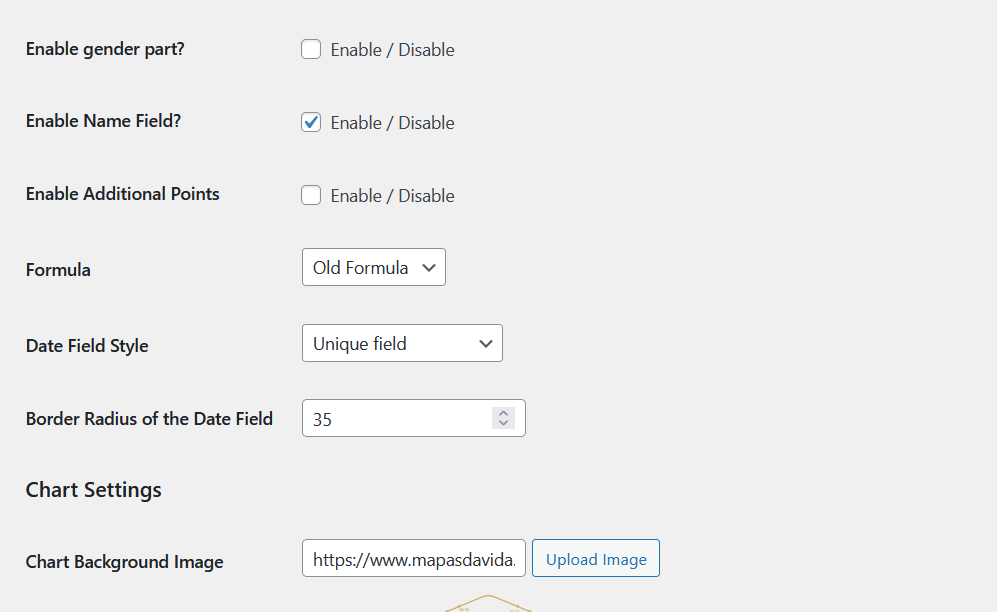
If you don’t see the formula option, make sure you are using the latest plugin version.